Scoped Skills
The right skills for each agent.
BB gives every skill to every agent. Scoped Skills gives each one only to the agents, models and projects that should have it.
- Image-generation skills reach Codex, not Claude Code.
- GPT-5 prompt playbooks reach only
gpt-5*models. - Work skills reach only repos that match
*my-org/*. - Preview what a thread on any agent, model and project would get.
- Change a scope from the page, the CLI, or by asking an agent.
Install in BB
Open Extensions in BB, search Scoped Skills, and install the listing by Pritam Sharma in BB Community.
Or run this on the machine running BB:
bb plugin install scoped-skills@bb-communityNo extra marketplace needed. If the listing is missing, refresh BB Community with bb marketplace refresh bb-community.
Add my marketplace too Optional
Keep my collection in your BB catalog as I publish more extensions. Plugins already listed in BB Community don’t need it, so adding this marketplace is optional.
bb marketplace add git:github.com/notpritam/bb-marketplace@mainAdding a marketplace installs nothing. Choose which plugins to install and refresh the catalog to discover new listings.
View my marketplace on GitHubBB 0.43+. No account, API key or network access.
 Full size
 How it works
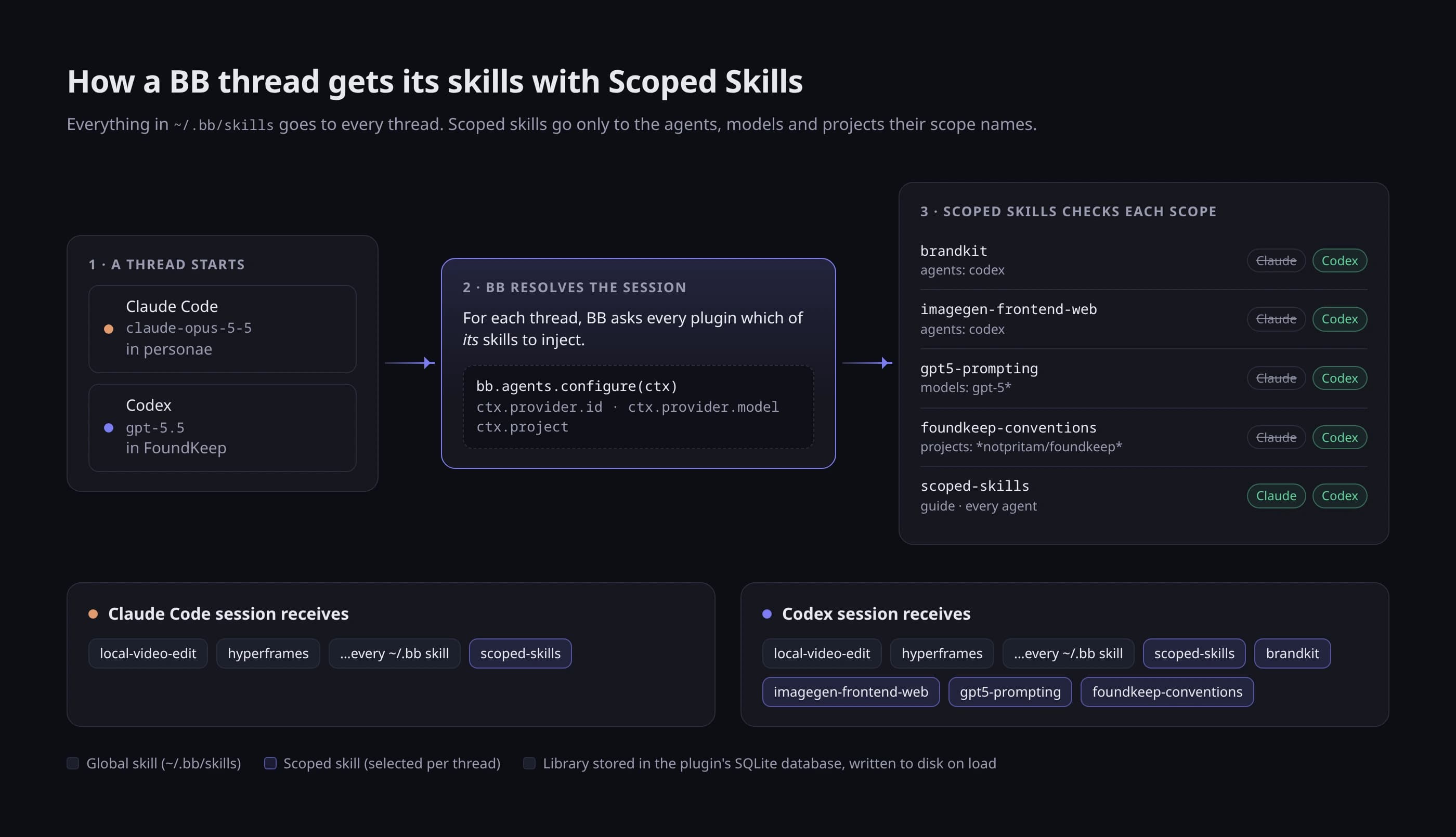
When a thread starts, BB asks each plugin which of its skills to inject and tells it the thread’s agent, model and project. Scoped Skills answers with only the skills whose scope matches. Project globs match a project’s name, id or git remote.
The library lives in the plugin’s own database and is written to disk each time the plugin loads, so an update never loses it. Import checks every SKILL.md with the same strict YAML rules BB uses.
After installing
Open Scoped Skills in the BB sidebar and import a skill folder, or run bb scoped-skills import ~/.claude/skills/<name> --agents codex.
Delete the original copy afterwards. A copy left in ~/.bb/skills, ~/.claude/skills or ~/.codex/skills still reaches every agent.
Same machine.
Different skills.
Every frame of the film comes from the real plugin and the real live check.
See it in action
Read the video transcript
Every skill. Every agent.
BB gives everything in ~/.bb/skills to every thread. Even brandkit, in a Claude Code thread that can't make images.
Scope by agent, model and project. Then preview what a thread would get.
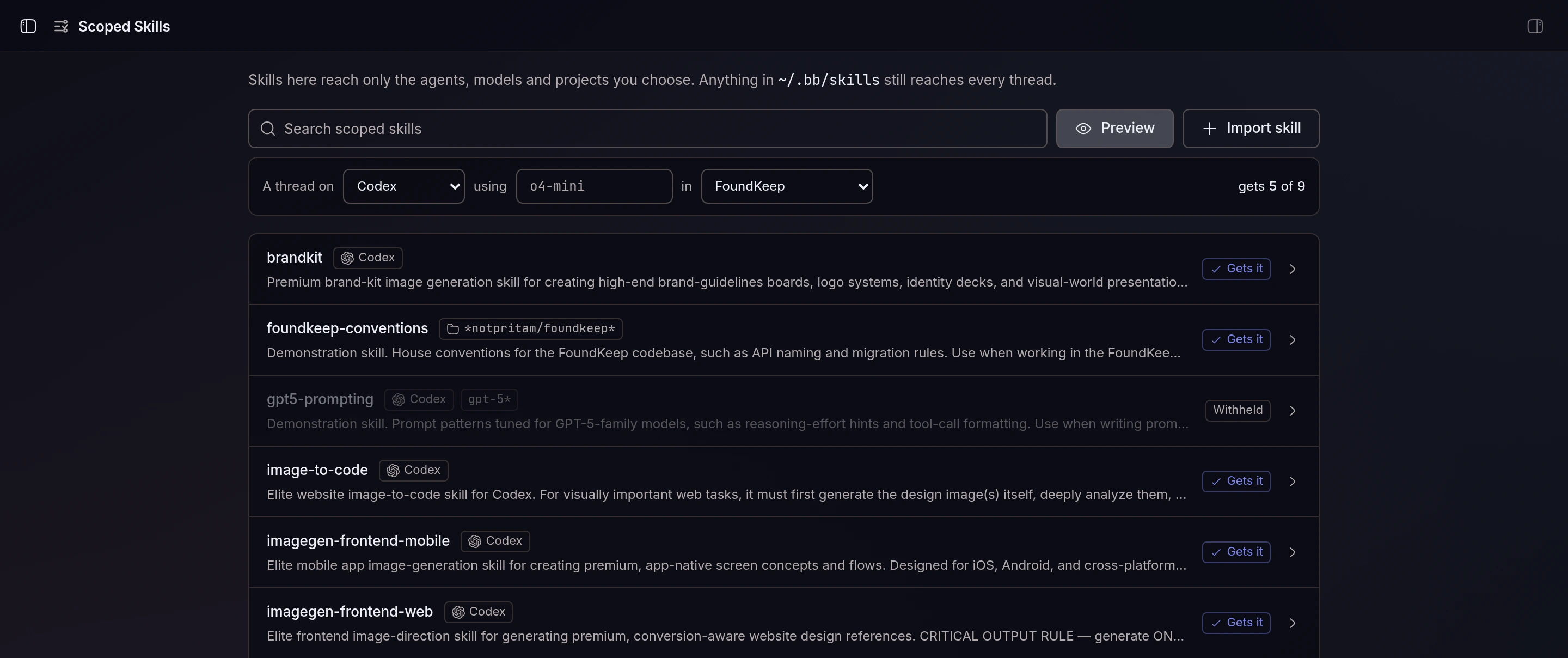
A thread on Codex using o4-mini in FoundKeep gets 5 of 9.
brandkit: Gets it. gpt5-prompting, a demo skill scoped to gpt-5*: Withheld.
Work skills stay in work repos. Each skill has a page: who gets it, by agent, model and project.
Project globs match a project's name, id or git remote, like *my-org/*. Demo skill foundkeep-conventions, *notpritam/foundkeep*: Matches 1 project: FoundKeep. It shows what each glob matches.
Import a skill. Copy in any skill folder, like ~/.claude/skills/brandkit. Then pick who gets it.
Checked in real BB threads. Each thread's own skill list, as captured.
Claude Code thread, no image skills. HAVE: scoped-skills, local-video-edit, hyperframes Codex thread, image skills included. HAVE: brandkit, image-to-code, imagegen-frontend-mobile, imagegen-frontend-web, scoped-skills, local-video-edit, hyperframes
How it works: how a BB thread gets its skills with Scoped Skills. Everything in ~/.bb/skills goes to every thread. Scoped skills go only to the agents, models and projects their scope names.
Scoped Skills. Give each skill only to the agents, models and projects that should have it.
bb plugin install git:github.com/notpritam/bb-plugin-scoped-skills@^0.2.0, or add the notpritam marketplace and install scoped-skills@notpritam github.com/notpritam/bb-plugin-scoped-skills · Sidebar page, CLI, agent tools. No account, API key or network.